

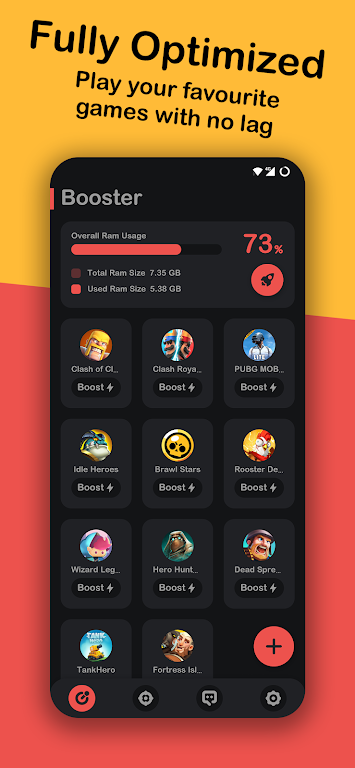


Game Booster Play Games Happy is a compact performance utility designed to give Android users clearer insight and finer control over device resources. It surfaces CPU and memory usage, tracks battery status and temperature, and offers a floating overlay so vital metrics stay visible while you use other apps. The app aims to keep your phone running smoothly by letting you adjust monitoring and performance settings, helping prevent thermal throttling and unexpected battery drops. For anyone who wants transparent, real-time diagnostics without digging through system menus, Game Booster Play Games Happy bundles practical tools into a colorful, themeable interface.
Core Functions
At its core, Game Booster Play Games Happy monitors processor usage in percent and displays CPU frequency and temperature with a live curve graph. It reports memory usage so you can see how apps are consuming RAM and allows basic configuration to influence how the device balances performance and stability. Battery diagnostics include temperature, health, power status, voltage and charge level, giving a comprehensive snapshot of battery condition. A floating window option keeps CPU temperature, battery temperature and RAM usage visible while other apps are running.
Key Features
The app presents a real-time CPU temperature and frequency chart to reveal thermal trends and potential throttling. Memory and CPU usage percentages are shown prominently, helping you spot resource-heavy processes. Battery monitoring covers multiple parameters—health, power status, voltage and level—so you can track charge behavior over time. The floating overlay keeps critical stats accessible. A multi-theme system lets you switch visual styles to match your taste, making the monitoring tools feel less utilitarian and more personal.
User Experience
Design choices emphasize clarity: graphs and numeric readouts are presented in a clean layout and the floating window is configurable to reduce distraction. Theme switching changes the app’s appearance quickly, and controls for monitoring options are straightforward to adjust. Because the app focuses on data presentation rather than intrusive tweaks, it’s a low-friction way to keep an eye on device health without deep technical expertise. Notifications and the overlay help keep important warnings in view without interrupting other activities.
Conclusion
If you want a lightweight utility for real-time diagnostics and simple performance tuning, Game Booster Play Games Happy offers a practical mix of monitoring, a floating status window and aesthetic themes to make system information accessible and easy to interpret. It’s a useful companion for anyone who values device reliability and wants quick, at-a-glance status reporting.






