
Apps
Productivity
Voice Notebook speech to text
Voice Notebook speech to text
| Package ID: | |
|---|---|
| Latest Version: | v2.4.0 |
| Latest update: | Feb 09, 2026 14:15:02 |
| Developer: | Simple Seo Solutions |
| Requirements: | Android |
| Category: | Productivity |
| Size: | 2.54 MB |
| Tags: | Read |
Rating :4.2
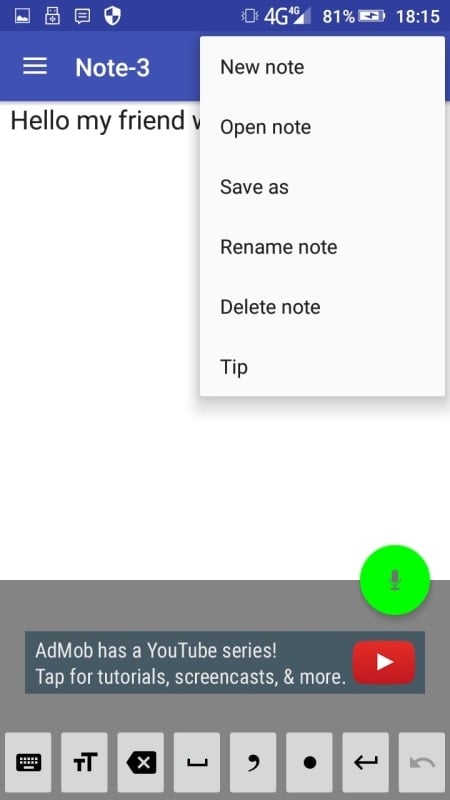
Voice Notebook speech to text is a speech-to-text app designed to transcribe your spoken words into written text with high accuracy. Perfect for students, professionals, content creators, or anyone who needs to convert speech into text quickly, the app allows you to dictate notes, ideas, emails, and even long-form documents with ease. With its simple and intuitive interface, Voice Notebook speech to text offers an efficient solution for hands-free note-taking, transcription, and dictation. Whether you're attending meetings, lectures, or recording ideas while on the go, this app helps you save time by turning your voice into text instantly.
Features of Voice Notebook speech to text:
1. Real-time Speech Recognition: Voice Notebook speech to text converts your speech into text instantly with minimal lag. The app's real-time transcription feature is perfect for users who need quick and accurate transcriptions while speaking, such as during lectures or business meetings.
2. Multi-language Support: The app supports multiple languages and accents, allowing users from different regions to transcribe their speech accurately. Whether you're speaking in English, Spanish, French, or many other languages, Voice Notebook speech to text adapts to your voice and provides precise results.
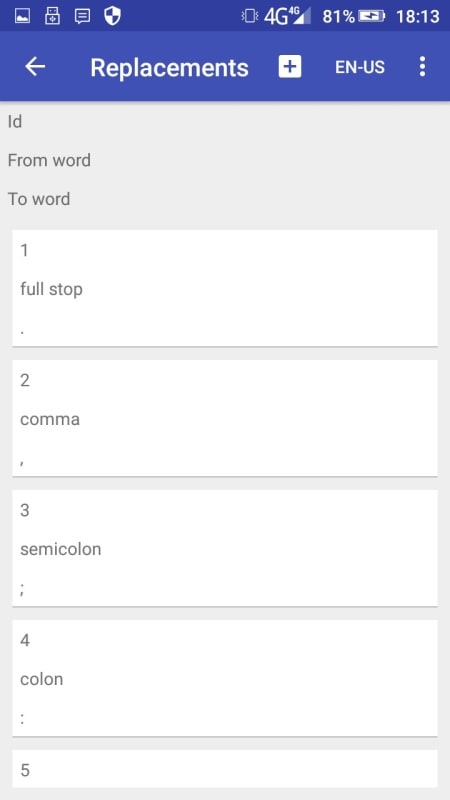
3. Punctuation and Formatting: Voice Notebook speech to text automatically inserts punctuation marks like commas, periods, and question marks based on your speech patterns. This feature saves you time when editing, as the text appears in a more readable format without the need for manual adjustments.
4. Voice Commands for Editing: Users can use voice commands to edit their text while transcribing. For example, you can say “delete last sentence” or “add a paragraph” and the app will perform these actions, allowing for efficient corrections without interrupting your speech flow.
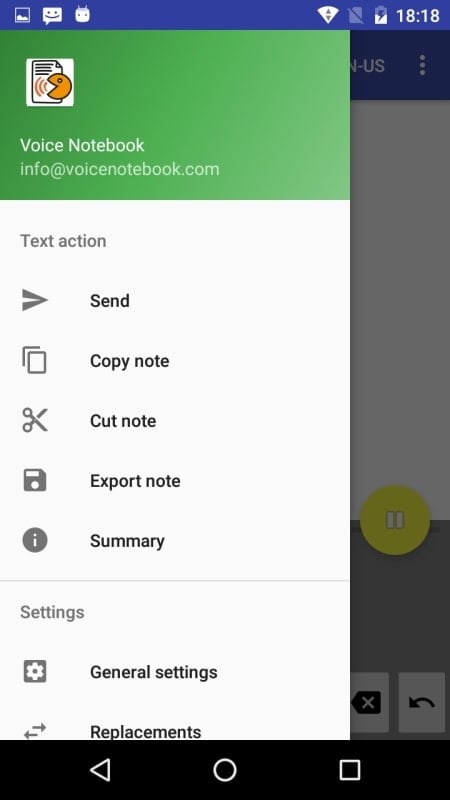
5. Cloud Backup and Export Options: Voice Notebook speech to text allows users to save their transcriptions in the cloud for easy access from different devices. You can also export your text as a document (e.g., .txt or .docx), making it simple to integrate your transcriptions into other workflows or share them with others.
FAQs of Voice Notebook speech to text:
1. Is Voice Notebook speech to text free to use?
- Yes, Voice Notebook speech to text is free to download and use for basic features. However, there is a premium version available that unlocks additional features, such as unlimited transcription time, offline mode, and advanced voice commands.
2. How accurate is the speech-to-text conversion?
- The accuracy of Voice Notebook speech to text is generally high, but it can vary depending on your accent, the quality of your microphone, and the environment (e.g., noise level). For the best results, use a good-quality microphone and speak clearly in a quiet setting.
3. Can I use Voice Notebook speech to text offline?
- Yes, Voice Notebook speech to text has an offline mode available in its premium version. When offline, the app stores your speech data locally and transcribes it once you’re connected to the internet.
4. Can I export my transcriptions?
- Yes, you can easily export your transcriptions to different file formats like .txt or .docx. This feature allows you to transfer your text to other apps or share it with others.
5. Is Voice Notebook speech to text suitable for professional transcription tasks?
- Voice Notebook speech to text is great for personal transcription, note-taking, and dictation. However, for professional transcription tasks that require high precision or specific formatting (like legal or medical transcription), you may want to consider more specialized services or software.
Conclusion:
Voice Notebook speech to text is a versatile and efficient app for anyone looking to convert speech into text quickly and accurately. Its real-time transcription, multi-language support, and voice editing commands make it a powerful tool for note-taking, idea generation, or professional work. While it's perfect for everyday users and casual transcriptions, it might not fully meet the needs of those requiring highly detailed or professional-grade transcriptions. If you're looking for a simple, affordable solution to turn your speech into written text, Voice Notebook speech to text is an excellent choice.