

Audify is a versatile app that transforms written text from web pages, eBooks, and documents into spoken words, making it perfect for multitasking or protecting your eyes from screen strain. Not only can it read aloud novels, articles, and stories, but it also offers features like translation, adjustable speaking rates, and blue light filter and night mode settings. You can easily adjust brightness, font size, and even create your own bookmark categories for organized reading. With the ability to download files and play them with ease, Audify is your go-to tool for learning languages, enhancing productivity, and enjoying hands-free reading on the go. Whether you're commuting, exercising, or doing household chores, Audify makes it simple to access information and stories while keeping your eyes fresh and engaged.
Features of Audify read aloud web browser:
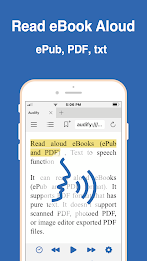
- Read Aloud eBooks
Audify can read aloud eBooks in formats like ePub, PDF, and txt, making it convenient to enjoy your favorite novels or stories on the go.
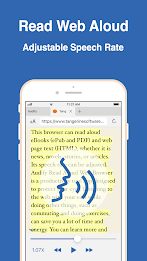
- Read Aloud Web Page Text
With the ability to read aloud web page text in HTML format, Audify allows you to listen to articles, news, and more while freeing up your hands and eyes for other activities.
- Language Learning Tool
Audify supports multiple languages and offers features like pause, resume, and speech rate adjustment, making it a useful tool for learning new languages.
- Eye Protection Features
Audify includes blue light filter mode, adjustable screen brightness, and customizable font size to help reduce eye strain during long reading sessions.
Playing Tips for Audify read aloud web browser:
- Starting in the Middle
To start reading aloud from a specific point on a page, simply scroll to the desired position and press play, or double-click the paragraph you want to begin from.
- Troubleshooting
If Audify encounters issues with reading aloud, try closing and reopening the app, selecting a different voice, or restarting your device to resolve any potential problems.
- Bookmark Organization
Utilize the user-defined bookmark categories to easily find and access your favorite passages or articles for future listening.
Conclusion:
Audify read aloud web browser offers a convenient and versatile way to enjoy eBooks and web content through its text-to-speech capabilities. With language learning support, eye protection features, and customizable settings, Audify provides a user-friendly experience for readers of all interests. Whether you're looking to learn a new language or simply want to listen to articles hands-free, Audify is a valuable app for enhancing your reading experience on the go.






