
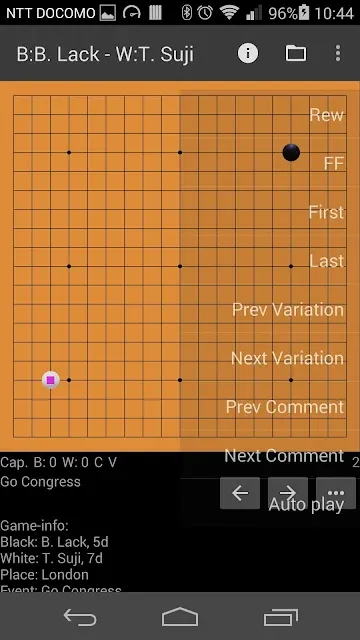

FujiGoban Free is a focused, ad-supported Go kifu viewer and editor designed for players who want a lightweight tool to open, replay and annotate game records. FujiGoban Free reads SGF and related formats, accepts SGF text from the clipboard or file imports, and provides the basic editing and study functions you need for post-game review without forcing you into unnecessary extras. The app is aimed at club players, study partners and instructors who prefer a straightforward board interface and reliable import/export for sharing games and variations.
Key Features
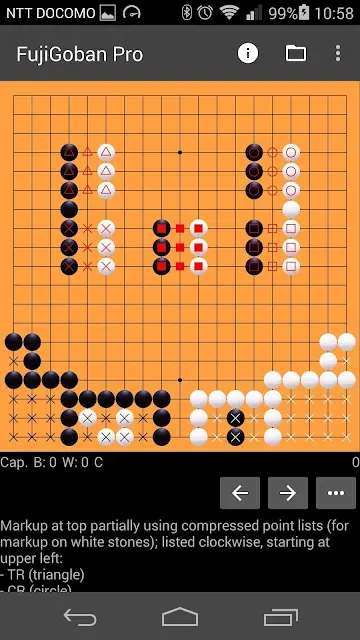
The core of the application is its support for standard file formats: SGF, NGF, UGF and GIB are recognized and loaded quickly, and SGF fragments pasted from the clipboard are parsed into a navigable game record. You can step through moves forward and backward, create and edit branches and variations, add move numbers and textual comments, and place graphical markups such as triangles, squares and labels to highlight local fights or joseki. The app includes basic screenshot capture and simple sharing and backup options so annotated kifu can be sent as text or saved as files for collaborative study.
Gameplay and Study Mechanics
The app is built around record viewing and manual board play rather than an automated opponent: two players can use the same device to replay or reconstruct games, with convenient undo and redo (approximately thirty steps) to correct mistakes during editing. Navigation controls let you jump to the beginning, end or any marked position, and variations are stored in the SGF so branching lines can be preserved for later review. Timing and scoring tools are intentionally minimal to keep the focus on study and annotation rather than tournament management.
Controls and Interaction
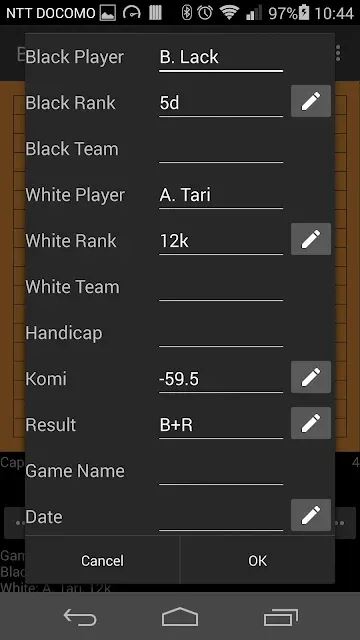
Interaction is simple and intentionally tactile: tap an intersection to add or remove stones while editing, use on-screen navigation controls to step through moves, and access edit functions from contextual menus. Adding comments, editing game metadata and inserting marks are handled through straightforward dialog prompts rather than complex toolchains, so learning the editor takes only a few minutes. The app offers preferences to configure how coordinates, line thickness and board coloring are displayed to match your visual preference or accessibility needs.
Progression, Organization and Replay Value
FujiGoban Free supports study workflows rather than leveling or ranking systems: progression comes from building a personal library of kifu, annotating critical positions, and saving variations for later practice. You can organize files into folders, set a default folder for new imports, and restore backups of your game collection. Replay value is high for anyone who repeatedly studies joseki, tsumego-like local fights or entire game flows, because annotated variations remain editable and shareable across devices.
Visual Style and Customization
The visual design emphasizes clarity: a clean board layout with configurable board color, coordinate display on or off and adjustable line visibility helps concentrate on the stones and recorded sequence. English menus are provided, and several display options let you adapt the appearance for projection, teaching or small screens. Markings and labels are scaled to remain readable at common zoom and resolution levels, and screenshots capture the on-screen layout for use in notes or lesson materials.
Analysis, Offline Use and File Handling
For position review, the app can send the current board state to its onboard analysis routine (the included Fujigoban.js component) so you can get a local evaluation of a position without requiring network access. Most features work fully offline: importing, editing, annotating and backing up SGF files do not require an internet connection. The app also handles opening SGF attachments from email or cloud storage when those services are available on the device, making it straightforward to move games between desktop and mobile study sessions.
Accessibility and Settings
Accessibility is considered through readable fonts, adjustable board contrast and the option to toggle coordinate labels. Preferences allow you to set a default folder, choose whether move numbers are shown, and control other small details that improve the experience for players with different visual needs or study habits. The app intentionally avoids cluttered settings screens so common options are easy to find.
Limitations and Practical Notes
FujiGoban Free is a free, ad-supported edition and differs from the paid Pro version primarily by the presence of advertisements. There is no built-in computer opponent; the board is intended for two human players or for reconstructing games from records. Undo is limited to roughly thirty steps which may require saving work often during extensive editing sessions. The app also warns when you navigate to removable storage folders that may belong to other applications, helping prevent accidental modification of unrelated files.