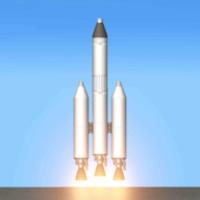

Spaceflight Simulator places a full-scale rocket sandbox on your phone, giving you the tools to design, build and pilot spacecraft without the need for a desktop PC. This mobile space engineering experience focuses on approachable controls and simplified-but-realistic flight physics so both newcomers and hobbyists can assemble multi-stage rockets, perform atmospheric launches, attempt landings on moons and planets, and evaluate each mission with clear feedback. Whether you spend ten minutes experimenting with a new stage configuration or hours refining a return trajectory, Spaceflight Simulator makes orbital mechanics accessible while keeping the decision-making and problem solving central to the experience.
Gameplay mechanics
The core loop alternates between construction and flight. In the editor you attach parts — engines, fuel tanks, structural components and control surfaces — with a freedom that encourages creative solutions to mass, thrust and balance problems. Once a design is complete you move to the launchpad where a simplified physics model calculates aerodynamics, gravity and thrust in real time. Orbital insertion, transfer windows and reentry are represented through intuitive behaviors rather than complex numeric readouts, so you learn the effects of staging and burn timing by doing. Each mission produces a concise mission report that highlights objectives achieved, resources used and where improvements are possible, helping you plan subsequent flights.
Controls and user experience
Controls are optimized for touch devices: pinch and drag to zoom and rotate the camera, tap parts to select or adjust orientation, and dedicated on-screen throttles and staging buttons for in-flight commands. Manual piloting is available for users who want to fly every maneuver, while simple autopilot assists help stabilize craft during ascent or descent. The interface scales with complexity — basic builds present only essential controls, while advanced setups expose finer adjustments like gimbal tuning and reaction control firings. Tooltips and context-aware prompts are included to reduce friction for new players without obscuring options for experienced builders.
Progression and objectives
Progression is driven by a mission-based structure that rewards successful returns and milestone achievements. Early scenarios teach foundational skills: achieving stable ascent, reaching a low orbit and completing a soft landing. As you progress the challenges broaden to include longer transfers, fuel-efficient trajectories and precision landings on smaller bodies. Mission feedback provides measurable goals and suggestions, allowing you to set incremental targets such as increasing payload capacity or improving landing accuracy. This system encourages iterative design where each attempt informs the next, creating a natural sense of growth without relying on artificial gating or in-app purchases.
Visual style and performance
The visual presentation focuses on clarity and functional detail rather than photorealism. Parts are rendered with clean models and readable indicators so you can judge mass distribution and connection points at a glance. Flight environments include recognizable atmospheric effects, planetary horizons and simple lighting that conveys altitude and orientation. The game is optimized to run smoothly on a wide range of smartphones, with options to adjust graphical fidelity and physics accuracy if you want higher performance or greater simulation detail on more powerful devices.
Customization and building depth
Customization centers on part selection and modular assembly, allowing players to experiment with stage layouts, fuel mixtures and landing gear configurations. While the parts list is designed to be approachable, the interactions between mass, thrust, drag and staging create meaningful engineering trade-offs. You can iterate on designs to reduce weight, increase stability or extend range, and the editor preserves previous builds so you can branch projects or revert to earlier concepts. Cosmetic customization is kept minimal to maintain focus on functional design, but adjustable camera angles and HUD options let you tailor the building and flying experience to your preferences.
Replay value, accessibility and offline play
Replay value comes from open-ended construction challenges and the variety of celestial bodies with differing gravity and atmospheres. Creative problem solving, experimenting with unusual configurations and pursuing personal goals such as long-duration missions or pinpoint landings keep the experience fresh. Accessibility features include simplified controls, adjustable difficulty for flight assists and clear in-game guidance for key concepts. The game is fully playable offline, which makes it suitable for travel or areas without reliable connectivity, and saved missions can be reviewed locally to track your learning curve.
Challenge systems and learning curve
Challenges are designed to be rewarding but not punitive: early levels teach core concepts, while higher-difficulty objectives require careful planning, iterative testing and patience. Precise landings and complex interplanetary transfers still demand practice, and the game encourages a trial-and-error approach supported by informative mission summaries. If you enjoy tinkering, learning from failures and gradually improving your engineering intuition, Spaceflight Simulator provides a steady, satisfying curve that balances challenge with accessibility.