
Block Craft 3D puts city-building in your hands with a friendly, block-by-block editor that combines guided construction and open-ended creativity. In the opening moments you select a project, follow clear placement markers and watch neighborhoods, streets and landmarks take shape; Block Craft 3D keeps the learning curve low while offering room to experiment as you expand your city. This introduction explains how the game works, what to expect from its progression and customization systems, and how the controls and accessibility options support a wide range of players.
Key features
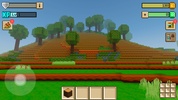
The game uses a voxel-style visual approach with readable shapes and bright, approachable colors so buildings, roads and props are easy to identify. A guided assistant highlights exactly where each block belongs and steps you through larger constructions to reduce guesswork. Projects span small homes and streetlamps to multi-story commercial buildings and skyscrapers; you can decorate each project and place people or animals to populate your streets. A reward system grants coins and unlockable content as you complete projects, which encourages steady progression and offers short, satisfying play sessions without forcing long commitments.
Gameplay and level structure
Gameplay centers on discrete building projects rather than open sandbox chaos: clear objectives, completion markers and tiered difficulty let you choose how involved a session will be. Levels are organized as individual construction tasks that vary in size and complexity, from quick roadside installations to multi-block civic structures. Completing projects increases your in-game resources and may unlock larger or more detailed blueprints, creating a natural progression from simple builds to sprawling urban layouts. Although the core structure is project-based, the game encourages revisiting locations to expand neighborhoods and refine designs.
Controls and user experience
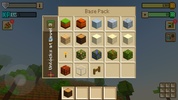
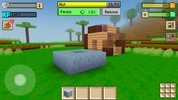
Controls are optimized for touch devices: tap to place a block, drag to move the camera, pinch to zoom and swipe to rotate your view. An on-screen toolbar provides fast access to common materials and a simple undo function helps correct mistakes without penalty. The interface is intentionally uncluttered; contextual prompts appear only when they help you complete the current task. This design keeps controls approachable for new players while remaining responsive for more deliberate builders who like to fine-tune placement and aesthetics.
Progression, rewards and challenge systems
Progression is steady and transparent. Earned rewards can be spent on new materials, decorative items, or to unlock more complex projects. Optional challenge objectives—such as finishing within a target time or using a limited palette—provide extra rewards for players who want an additional layer of difficulty. This structure creates meaningful short-term goals and long-term ambitions without relying on online leaderboards or competitive systems, so you can build at your own pace.
Customization and visual style
The visual language is block-based but flexible: color palettes, facade choices and decorative props let you create distinct neighborhoods. You can mix domestic, commercial and civic buildings to shape the city's character, and simple population controls let you add people or animals to bring streets to life. The result is a coherent, cartoony aesthetic that reads well on small screens and larger tablets alike, with clear visual contrast that helps identify blocks and functional elements during construction.
Replay value and creative freedom
Replayability comes from varied project lists, optional challenges and the freedom to redesign completed areas. Because each project can be revisited and expanded, players often iterate on earlier designs and experiment with different styles. Sandbox moments are available within the project's framework, offering space to personalize roads, parks and skylines. These layered possibilities keep the experience engaging over many sessions without needing constant new content drops.
Accessibility and offline play
The game offers adjustable UI scaling and a color-adjustment palette to help players with different visual needs; the guided assistant can be toggled on or off depending on how much direction you want. Block Craft 3D functions fully offline for single-player building, so you can design and complete projects without an internet connection; save and sync features operate locally on the device. Performance settings allow you to reduce visual effects on older hardware to maintain smooth building interactions.
Who this app suits
This title is well suited to players who enjoy constructive, low-pressure gameplay and clear goals—parents looking for a child-friendly creative environment, casual players who want short building sessions, or aspiring designers who prefer stepwise challenges. If you want a heavy simulation or a purely freeform voxel sandbox, the guided approach may feel limiting; however, for anyone wanting accessible city design tools and steady progression, Block Craft 3D provides a dependable platform to plan, build and decorate blocky urban spaces.