


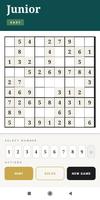
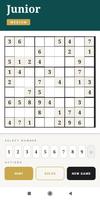
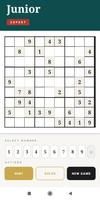
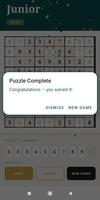



Sudoku Junior is a child-friendly Sudoku game that introduces young players to logic and concentration through carefully paced number puzzles. The app presents a calm, uncluttered interface with large, easy-to-tap cells and simple on-screen controls so children can focus on thinking rather than fiddly inputs. Designed for family play and solo learning sessions, Sudoku Junior combines progressive difficulty, helpful hints, and satisfying completion feedback to turn short practice rounds into consistent brain-training opportunities.
Gameplay and Controls
The gameplay follows classic Sudoku rules while simplifying presentation for younger users: place numbers so each row, column and block contains no duplicates. Controls are straightforward — tap a cell, choose a number, and the grid updates immediately. A note or pencil mode lets learners keep small candidate numbers when they are exploring possibilities, and optional automatic error checking highlights conflicts as they occur so children can learn from mistakes in real time. Parents can toggle sounds, vibration feedback and the celebratory animation when a puzzle is completed to match their child’s preferences and the playing environment.
Progression and Level Structure
Levels progress gently from beginner to more challenging puzzles across three difficulty tiers: Easy, Medium and Expert. Early puzzles provide more given numbers and clearer patterns to help new players internalize basic strategies, while higher tiers reduce clues and introduce subtler logical steps. The game tracks the types of puzzles played so that repeated practice focuses on improving weak areas, and a Solve option and graded hint system are available to scaffold learning — letting young players peek at the next correct move or reveal a full solution when they’re stuck.
Visual Style and User Experience
Sudoku Junior uses large fonts, high-contrast numbers and generous spacing to reduce visual strain and accidental taps. The color palette and subtle animations are chosen to be friendly without distracting from the puzzle itself. Feedback on correct placements, audible chimes and a confetti celebration on completion provide positive reinforcement that encourages continued play. The interface adapts to both phones and tablets, keeping buttons and the grid comfortably sized across screen types.
Replay Value and Puzzle Generation
With millions of unique puzzles generated to avoid repetition, the app offers strong replay value for daily short sessions or longer practice periods. Each new puzzle is created with solvability checks to ensure it can be completed with logic rather than guessing, supporting steady skill development over time. Because puzzles are generated locally, players can enjoy fresh challenges offline without needing an account or a continuous internet connection.
Accessibility and Parental Controls
Accessibility features focus on making the game approachable: large interactive elements, optional high-contrast display, adjustable hint frequency and the ability to silence sound effects are all included to accommodate different needs. Parents can rely on a distraction-free experience with no in-app social features or forced ads interrupting play, and the app’s simplicity helps families set short, focused practice sessions that fit into busy schedules.
What Parents and Educators Should Know
Sudoku Junior is built as a learning tool as much as a casual game. It encourages logical thinking, pattern recognition and concentration in short, manageable rounds that suit children’s attention spans. The hint and Solve functions are intentionally available so adults can guide learning when needed, but they are balanced to avoid removing the challenge entirely. Because the app remains lightweight and free to install, it is easy to include on devices used at home or in classroom settings for quick brain-training breaks.
Advantages and Considerations
The app’s strengths include clear, kid-friendly controls, a clean visual style designed to reduce frustration, and a progression path that supports steady improvement. It is free, works on both phones and tablets, and can be used offline for uninterrupted practice. On the other hand, very experienced Sudoku players may find the Expert tier simpler than advanced adult-focused variants, and frequent reliance on hints can reduce opportunities for self-guided problem solving if not moderated by caregivers.