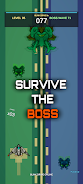


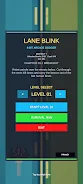

Lane Blink helps detect driver inattention using your device camera and provides gentle alerts to support safer driving. The app runs locally on the device, offers simple controls for sensitivity and alert types, and keeps a log of events for later review so you can fine-tune settings.
Key features
Lane Blink uses the front camera to monitor signs such as prolonged eye closure and reduced focus, and detects lane drift to notify the driver when lateral movement is detected. Choose from sound, vibration or visual notifications, and adjust sensitivity and detection intervals to match different driving conditions. The app is designed for local processing and lightweight operation to minimize battery impact.
Privacy and permissions
Lane Blink processes video frames on the device and does not transmit footage without explicit user consent. The app requests camera permission and optional storage access for logs; you can disable monitoring at any time to protect your privacy.
Getting started
Grant camera permission, review sensitivity settings, and enable monitoring when you begin a trip. Monitor alerts and review logged events to adjust settings so the app fits your driving habits and conditions.