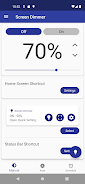
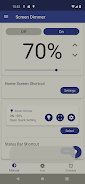
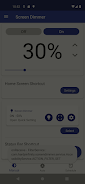

Auto Screen Dimmer is a handy mobile app designed to automatically adjust your device’s screen brightness based on your environment and usage. The app helps reduce eye strain by dimming the screen in low-light conditions and brightening it in well-lit environments. With customizable settings, you can set the dimming levels, choose the time intervals, and optimize the app for your specific needs. Whether you’re reading, browsing, or watching content, Auto Screen Dimmer provides a smoother, more comfortable viewing experience, making it easier on your eyes, especially during the night or in dark environments.
Features of Auto Screen Dimmer:
- Automatic Brightness Adjustment: The app intelligently dims or brightens your screen based on the ambient light in your surroundings, providing optimal brightness at all times.
- Customizable Settings: Tailor the dimming levels, time intervals, and sensitivity to match your preferences, ensuring the app works just the way you like.
- Night Mode: Reduce eye strain during late-night use by enabling the night mode feature, which dims the screen to a comfortable level and minimizes blue light exposure.
- Battery Saving: By reducing screen brightness in low-light conditions, Auto Screen Dimmer helps save battery life, allowing you to use your device longer without charging.
- Easy-to-Use Interface: With its simple and intuitive interface, Auto Screen Dimmer is quick to set up and requires minimal interaction, making it accessible to all users.
Tips for Using Auto Screen Dimmer:
- Adjust Sensitivity: Experiment with the app’s sensitivity settings to ensure the screen brightness adapts to your environment without being too abrupt or distracting.
- Use Night Mode at Night: Turn on night mode in dark environments or before sleep to reduce blue light exposure and make your screen easier on the eyes.
- Enable Battery Saving Mode: If you're trying to conserve battery life, activate the app's battery-saving feature to automatically reduce the screen brightness when needed.
- Regularly Check App Settings: Review the app’s settings periodically to adjust the dimming levels based on your current environment or personal preferences.
- Combine with Other Features: For an even better experience, consider combining Auto Screen Dimmer with other apps that reduce eye strain or control blue light exposure.
Conclusion:
Auto Screen Dimmer is a useful and practical app that helps enhance your device's usability by automatically adjusting screen brightness based on your surroundings. Whether you’re trying to reduce eye strain, conserve battery life, or create a more comfortable reading experience, Auto Screen Dimmer offers a simple and effective solution. With customizable settings and intuitive controls, it ensures you can always enjoy an optimal display, day or night. Download Auto Screen Dimmer today and experience a more comfortable and efficient way to use your device.